
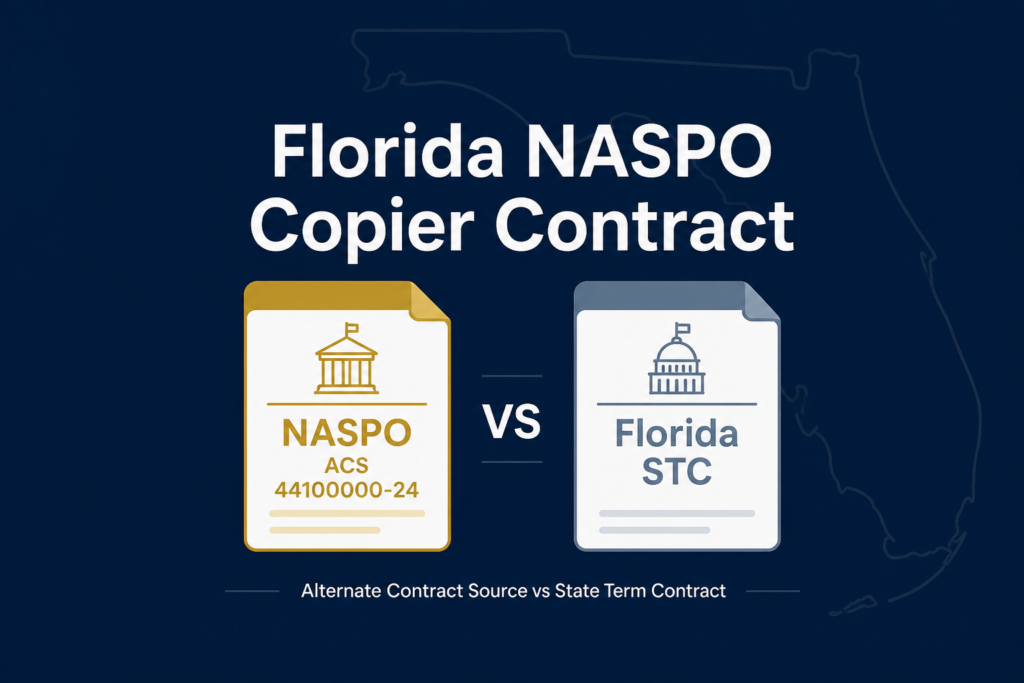
Florida NASPO copier contract: what buyers should know
Buying or replacing office equipment through a Florida NASPO copier contract can feel confusing at first. The words Florida Department of Management Services (DMS), NASPO, and Alternate Contract Source (ACS) often appear together, but each has a different role. This guide explains the relationship in plain language so a Florida public-sector buyer can identify the right procurement path and choose equipment and service with confidence.
Advanced Business Systems (ABS) is a Tallahassee-based office technology company and an authorized Canon, Kyocera, Ricoh, and Toshiba dealer. We help organizations evaluate copiers, printers, managed print, installation, supplies, and service. Always confirm current eligibility, pricing, ordering instructions, and contract terms in the official documents before making a purchase.
Quick guide to the terms
- NASPO is the National Association of State Procurement Officials, a nonprofit association that supports cooperative purchasing.
- Florida DMS manages Florida state purchasing programs and publishes state contract information.
- ACS means Alternate Contract Source, an authorized purchasing path for eligible customers under applicable rules.
These terms are related, but they are not interchangeable. NASPO may establish a cooperative contract structure, DMS communicates Florida’s purchasing information, and the ACS page identifies an available alternate source. The vendor, equipment, service scope, and customer’s eligibility still need to be confirmed.
How the Florida NASPO copier contract fits together
A cooperative purchasing arrangement usually begins with a public procurement process and a contract framework. A state or cooperative organization identifies product and service categories, establishes terms, and makes the resulting information available to participating entities. The Florida buyer then uses the applicable state or alternate source process rather than treating the arrangement like an ordinary retail purchase.
For Florida buyers, the practical starting point is the Florida DMS State Purchasing information. DMS maintains the state’s purchasing resources and points customers to contract pages, participating vendors, ordering guidance, and related documents. Use the current DMS material as the source of truth because contract numbers, dates, vendor lists, and ordering instructions can change.
The NASPO name explains the cooperative context. The ACS designation explains the alternate purchasing path. Together, they help a buyer understand why a contract may be available to more than one public organization while still requiring the buyer to follow Florida rules and the contract’s terms.
What is 44100000-24-NASPO-ACS?
Contract number 44100000-24-NASPO-ACS is the reference buyers may see when researching this copier and office technology purchasing path. A contract number gives the purchasing team, vendor, and agency a common reference point. It is not, by itself, a substitute for reviewing the current scope, participating entities, awarded products, pricing, and ordering requirements.
Before relying on the contract, confirm the current information on the Florida DMS Alternate Contract Source page. Review any linked contract documents and ask the purchasing office whether the organization is eligible to use the source. Eligibility may depend on the organization type and the applicable Florida purchasing rules.
A careful review also separates equipment from services. A device may be available under the contract while installation, software, training, supplies, maintenance, or a managed print program has its own scope or ordering language. Ask for a written explanation of what is included, what is optional, and what is outside the contract.
Who can use this purchasing path?
Eligibility is the first question, not the last step. Florida state agencies and other public-sector organizations may have different purchasing procedures. Some entities may participate in a cooperative or alternate contract source; others may need an additional approval, quote, purchase order, or internal procurement review.
Ask your procurement or purchasing office to confirm three things: whether your organization is an eligible user, which current contract documents apply, and what internal approval steps are required. The vendor can provide equipment and pricing information, but the customer’s procurement team remains responsible for following its own rules.
If you are comparing a Florida state term contract with an ACS, do not assume the terms are identical. A Florida state term contract may be a state-managed contract, while an ACS may be a separate cooperative purchasing option. Both may be useful, but the right choice depends on eligibility, scope, pricing, service requirements, and the buyer’s procurement process.
What to compare before selecting a copier
1. Total cost, not just the monthly payment
Compare the complete cost of ownership. Include the equipment price or lease payment, estimated print volume, black-and-white and color rates, toner, drums or other consumables, installation, delivery, network setup, software, maintenance, and applicable taxes or fees. A lower monthly number may not be the lower long-term cost if the service model or click charges do not fit actual usage.
Ask for assumptions in writing. A useful quote should identify the expected monthly volume, term, included service, response expectations, supplies, and any charges that are not included. This makes it easier for a procurement team to approve the purchase with confidence.
2. Workflows and security
Modern MFPs are networked devices, so the right question is more than “How fast does it print?” Consider scan destinations, user authentication, secure release, address book management, encryption, firmware updates, audit information, and how the device is retired. Match the features to the organization’s policies and the sensitivity of its documents.
Different departments may need different workflows. A law office may prioritize confidential release and scanning; a medical office may need careful handling of sensitive records; a state office may need reliable routing, accessible controls, and predictable service. Start with the workflow and then select the equipment class.
3. Service coverage and response
Read the service language closely. Ask who provides local support, how service requests are opened, what response expectations apply, whether parts and labor are included, and how after-hours or remote locations are handled. Service quality is part of the purchase decision because downtime affects staff productivity and public service.
ABS serves Tallahassee and surrounding North Florida and South Georgia communities with local equipment, supplies, and service. A local team can discuss installation conditions, network coordination, meter reads, supplies, and escalation before an order is placed. Buyers should still compare the written service terms and confirm that the proposed coverage matches their locations.
How to evaluate a Florida state term contract or ACS quote
Ask each vendor for the same information. Request the proposed make and model, configuration, accessories, pricing basis, service and supplies, installation schedule, training, warranty or maintenance terms, and the contract reference being used. If the quote cites a Florida state term contract or the Florida NASPO copier contract, ask the vendor to identify the exact contract and explain how the quoted items fit its scope.
Do not rely on a brand name alone. Canon, Kyocera, Ricoh, and Toshiba each offer different device families and workflow options. The best fit depends on volume, paper sizes, scanning needs, finishing, security, integration, and service coverage. A short needs assessment can prevent an expensive mismatch.
It is also reasonable to request a demonstration or workflow review. Have the vendor test a typical scan, print, copy, and secure-release process. Confirm that the device works with the organization’s network and authentication environment before final approval.
Ordering and implementation checklist
- Confirm that the organization is eligible to use the selected contract or ACS.
- Open the current DMS and contract documents and record the contract number and effective information.
- Document locations, users, monthly volumes, paper sizes, finishing, scanning, and security needs.
- Request a complete quote that identifies equipment, service, supplies, installation, and optional items.
- Compare the quote with the contract scope and your organization’s internal purchasing requirements.
- Coordinate network, security, delivery, installation, training, and removal of any replaced equipment.
- Keep the contract reference, quote, approvals, purchase order, and service contacts with the procurement file.
Planning these steps early reduces surprises. It also gives the purchasing team a record of why the selected equipment and service model meet the organization’s needs.
Common mistakes to avoid
Assuming every public buyer has the same eligibility
Public-sector purchasing rules vary. Confirm eligibility with the organization’s procurement office and use the current official DMS guidance.
Comparing devices without comparing service
A copier that looks inexpensive may not be a good value if response, supplies, installation, or workflow support are unclear. Compare the full proposal, not only the hardware line.
Using an old contract reference
Contract pages and documents can be updated. Check the current Florida DMS page for 44100000-24-NASPO-ACS and save the version used for the purchase file.
Skipping the workflow conversation
Equipment should support the way people work. Discuss scanning, secure printing, accessibility, authentication, and department needs before choosing a model.
How ABS can help
ABS helps businesses and public-sector organizations in and around Tallahassee evaluate office technology. Our team works with Canon, Kyocera, Ricoh, and Toshiba equipment and can discuss copier placement, print volume, scanning, supplies, managed print, installation, and ongoing service. We can help you prepare the questions and information needed for a contract-based quote.
If you are reviewing a proposal, start with the ABS copiers and office technology page or contact ABS for a quote. Share your locations, approximate monthly volume, current pain points, and procurement requirements. We will help identify a practical next step without assuming that every organization needs the same device.
Frequently asked questions
Is the Florida NASPO copier contract the same as a Florida state term contract?
Not necessarily. The terms describe related but distinct purchasing paths. Check the current DMS and contract documents, confirm eligibility, and ask your procurement office which path applies.
Can ABS tell me whether my organization is eligible?
ABS can help locate the relevant contract information and prepare a quote, but your procurement office should make the final eligibility and compliance determination.
Does the contract choose the copier model for me?
No. Contract availability does not replace a needs assessment. Compare volume, workflow, security, service, supplies, installation, and total cost before selecting a configuration.
Where should I verify the current contract information?
Use the official Florida DMS Alternate Contract Source information and the current contract documents. Keep a copy of the information your organization relied on when approving the purchase.
Final takeaway
The smartest way to use a Florida NASPO copier contract is to treat it as a procurement framework, not a shortcut around due diligence. Verify eligibility, read the current DMS information, identify the exact contract scope, compare complete quotes, and choose equipment that fits the people and workflows using it. With those steps in place, a Florida public-sector buyer can make a clearer, more supportable office technology decision.