
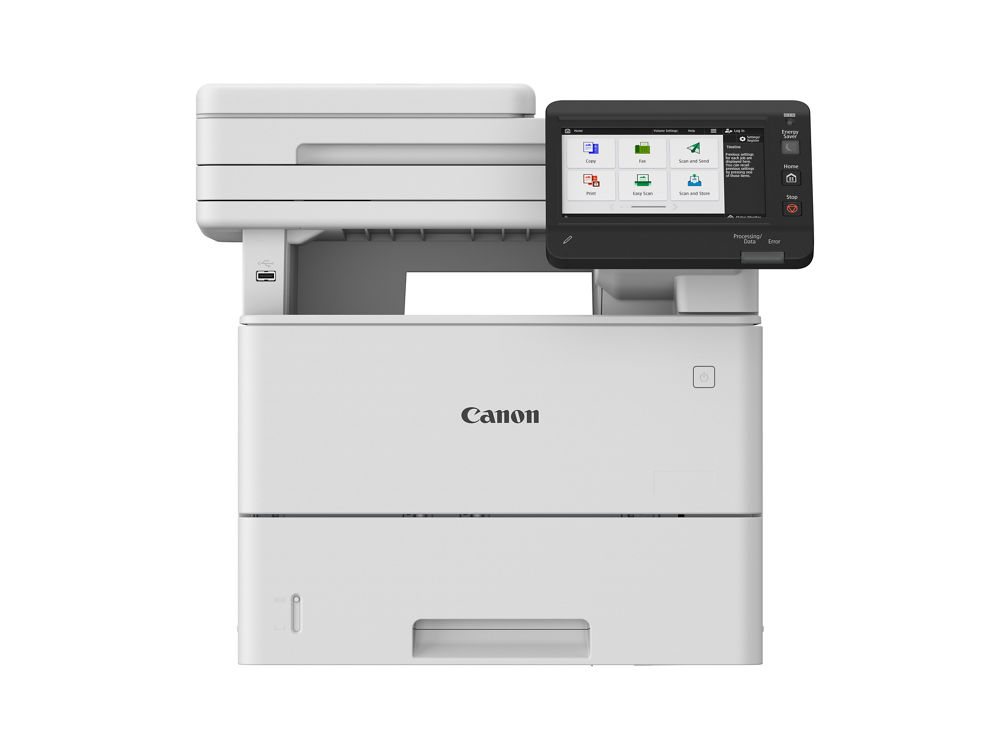
Quick answer: Canon’s imageFORCE A4 printers handle letter- and legal-size work at speeds from the mid-30s up to 75 pages per minute, in color or black-and-white, as print-only or multifunction models. Pick by monthly volume, how much color you print and whether people scan at the device. Most models do not print 11-by-17, and an office that needs tabloid pages, booklets or one big central copier is usually better served by an A3 machine.
This guide is for office managers, practice administrators and owners in Tallahassee, North Florida and South Georgia who are replacing a printer or a small copier and keep running into Canon imageFORCE model numbers. Advanced Business Systems is a family-owned, authorized Canon dealer that has sold and serviced office equipment from North Monroe Street since 1984. We also sell Kyocera, Ricoh and Toshiba, so if another machine fits your office better, we’ll say so.
What Does “A4” Mean for a U.S. Office?
A4 and A3 are international paper sizes; neither is identical to U.S. letter or tabloid. In U.S. copier shopping, dealers commonly use “A4” for letter/legal machines and “A3” for larger machines that also accept 11-by-17 sheets. Canon lists legal-size support for its imageFORCE C611 and 710 Series. Check the exact paper specification rather than relying on the class label. Our A3 vs. A4 guide explains the buying distinction.
The distinction matters for paper size, placement and finishing. A compact machine may be easier to position near users, but its trays, accessories and service terms still need to fit the workload. Compare complete configurations; size alone does not establish a lower total cost.
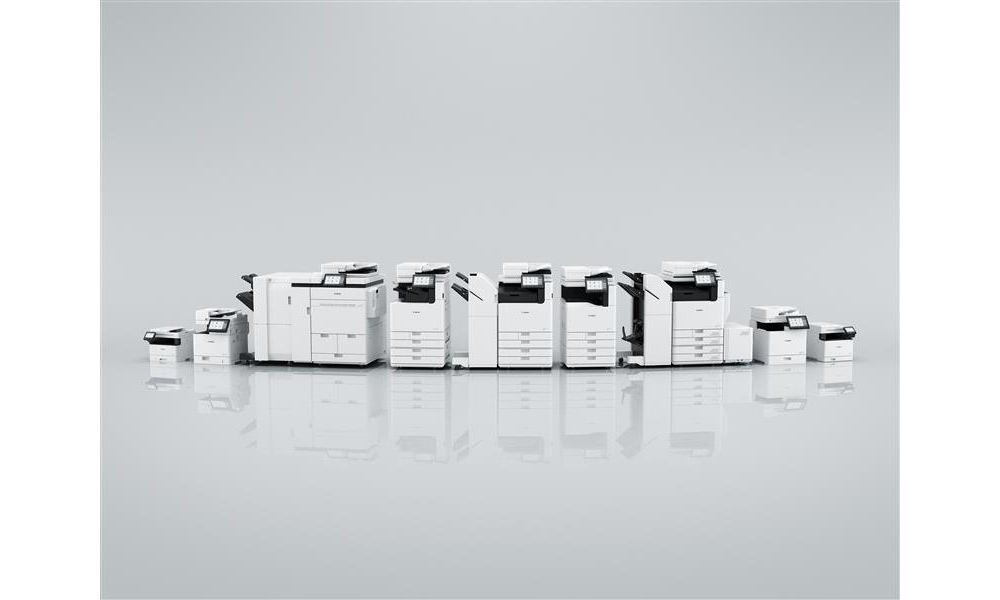
What’s in Canon’s imageFORCE A4 Printers Lineup?
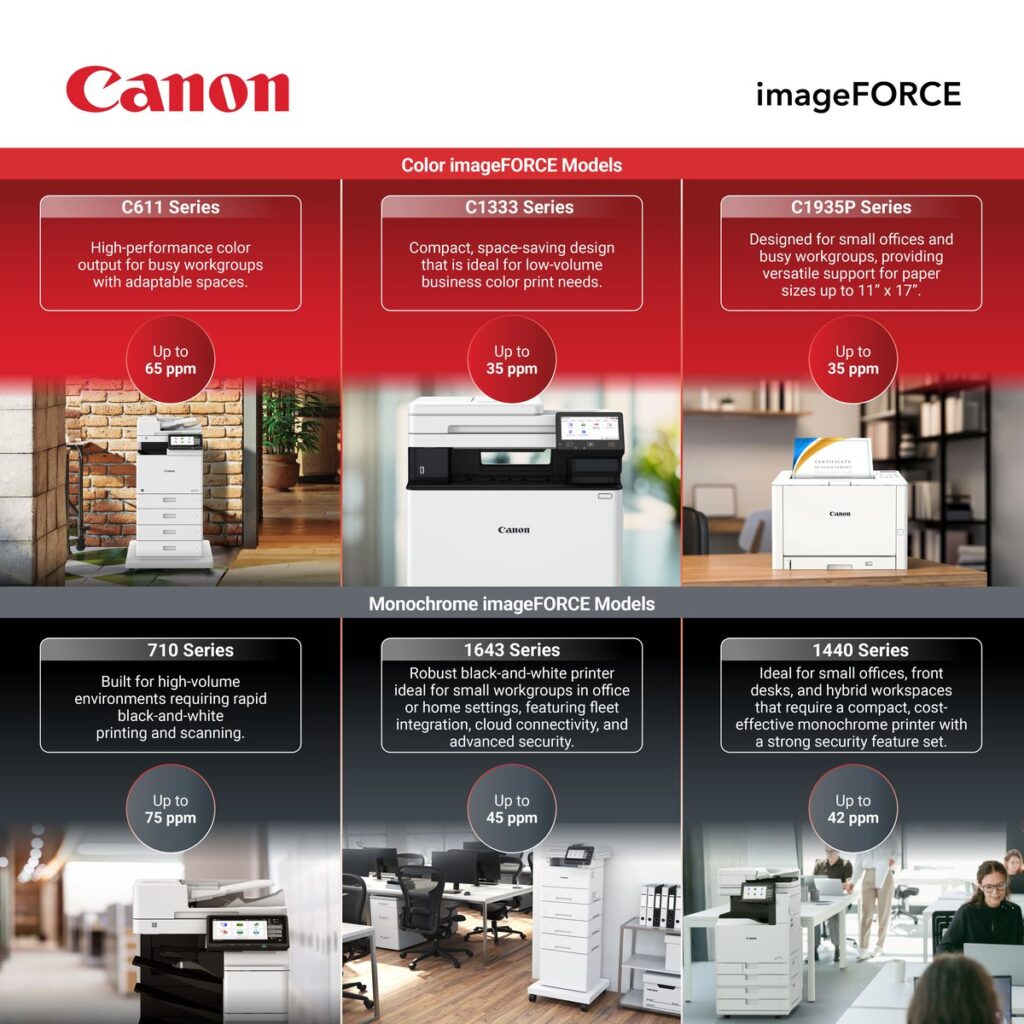
Start with the series, then request an exact model and accessory list. Canon’s September 2025 and March 2026 announcements identify these options; rated speeds vary with paper and settings.
- C611 Series: workgroup color multifunction models, up to 65 ppm, with finisher and non-finisher configurations.
- 710 Series: workgroup black-and-white models, up to 75 ppm, also with finisher choices.
- C1333 and 1440 Series: desktop color and black-and-white options respectively, with multifunction and print-only configurations.
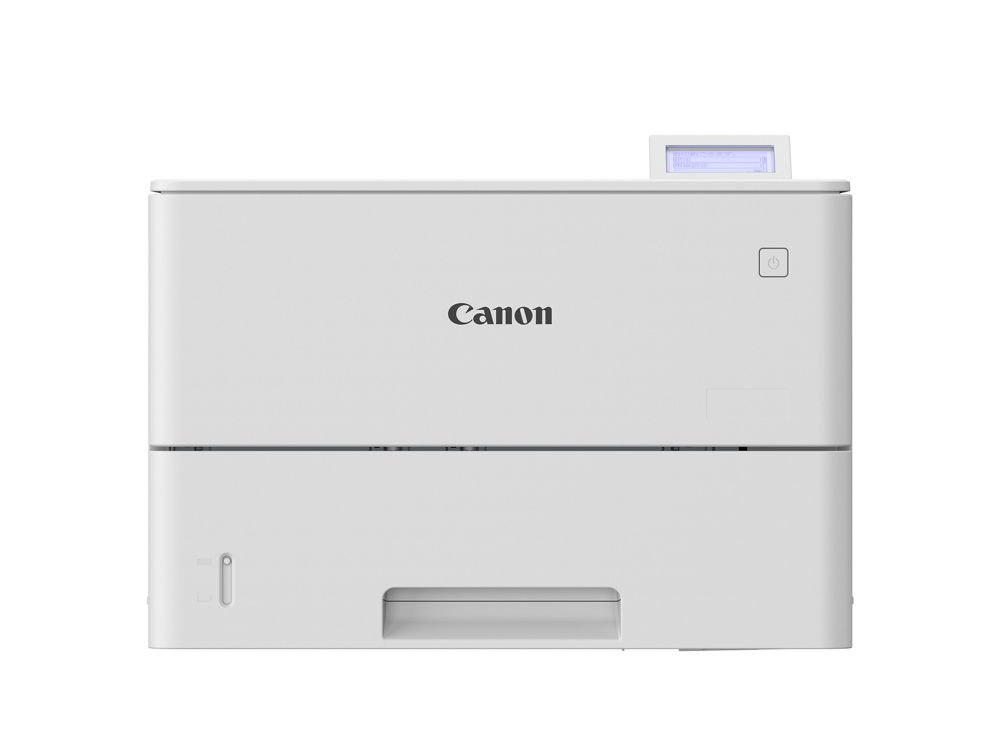
- 1643 Series: black-and-white desktop models rated up to 45 ppm. The 1643 and 1643F scan and copy; the 1643F adds standard fax. The 1643P prints only.
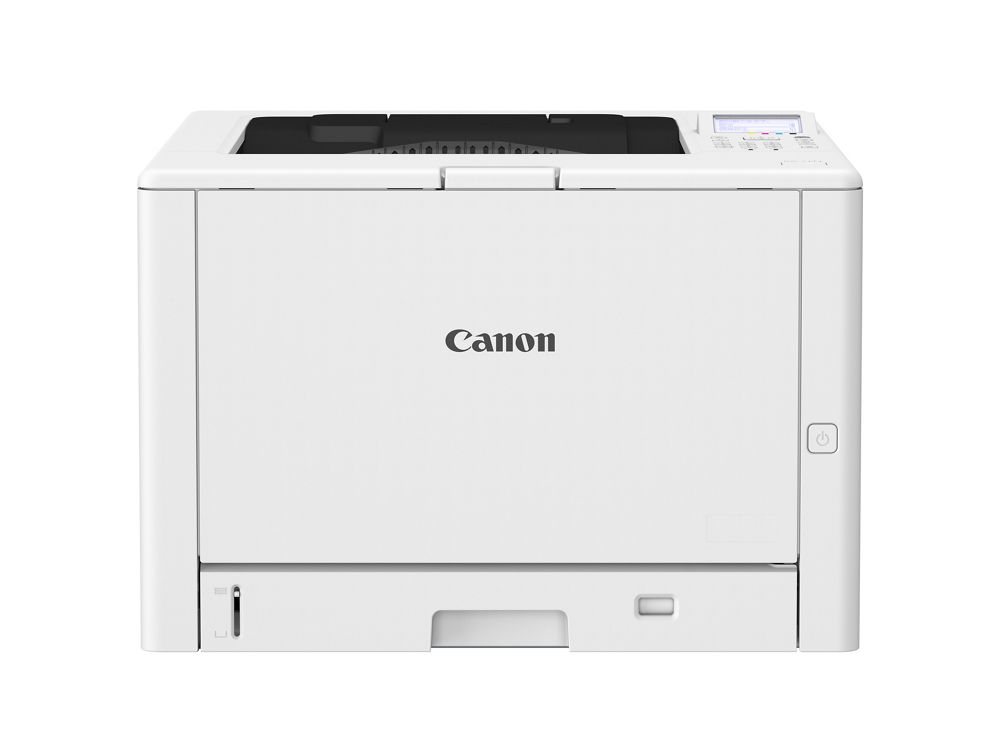
- C1935P: compact color print-only model rated up to 35 ppm. It accepts 11-by-17 paper, an important exception to the usual letter/legal buying category.
Which Speed Tier Fits Which Office?
When comparing imageFORCE A4 printers, measure monthly pages, peak job sizes and the number of people waiting. Rated ppm is an engine benchmark, not elapsed time for a real job: warm-up, processing, duplexing, paper changes and finishing can add time. Run a representative job from your usual application and time it from submission to collection.
For a front desk or small team, compare a desktop model with the lower workgroup configurations. For a shared department, examine tray capacity, replenishment and scan queues as well as print speed. For deadline peaks, test concurrent jobs and ask what a higher tier adds to equipment and service commitments. A second printer also adds another device to maintain; compare that arrangement in writing rather than assuming it saves money.
Color or Black-and-White?
Compare black-and-white and color page rates in the actual proposal. If output is mainly contracts, invoices and internal paperwork, price a monochrome configuration. If color communicates something useful in proposals or charts, include a color option. Our cost-per-page guide explains the questions to ask about coverage, minimums and page counting.
One option is a monochrome multifunction device plus a color printer. Our C1935P and 1643 article covers those desktop products. Compare the combined obligations with one color multifunction machine. Ask for black-and-white defaults where appropriate, then test that users can intentionally choose color when needed.
Printer or Multifunction Model?
Canon’s model suffixes help here. A “P” model is print-only. The “F” models are multifunction (print, copy and scan); in the 1643 Series the plain 1643 is also multifunction, and the 1643F adds standard fax. Choose a print-only model when scanning happens somewhere else, such as at a central copier or a dedicated document scanner, or when you want a simple desk-side printer for confidential output.
Choose a multifunction model when people need scanning and copying at that location. Test a representative mixed stack for missed pages, double feeds, readable results and delivery to the approved destination. A dedicated scanner may suit a sustained scanning station; our imageFORMULA guide explores that alternative. A fast print engine does not prove that a scanning workflow will fit.
Desktop or Floor-Standing?
Measure the complete installation, including optional trays, stand or finisher, open doors, ventilation clearances and the route for delivery. Confirm the supporting cabinet’s capacity for any desktop configuration. Ask how often staff will refill paper at your measured volume, where supplies will be stored and whether seated users can reach the controls.
A desktop machine shared by a whole department can create repeated replenishment trips. A large machine can consume space and capacity a small office never uses. Compare placement and traffic using your office’s actual floor plan.
Are All imageFORCE A4 Printers Equally Secure?
Do not assume every imageFORCE A4 printer has the same controls. Ask for an exact-model security checklist covering sign-in, job release, stored data, firmware maintenance and disposal. Identify which functions require extra hardware, a subscription or administrator setup. Canon describes several security functions on the C1935P and 1643 Series as off by default; test the proposed configuration after enabling the controls you need.
For a law firm, medical office or CPA firm, document who can use the device and who owns configuration changes. Test confidential jobs with fictional records. A printer purchase does not establish HIPAA compliance or protect privilege by itself; the organization’s policies, systems and staff practices remain relevant. Our card authentication guide helps frame sign-in questions. Ask ABS to identify any proposed software, current compatibility, license costs and responsibility for ongoing support in the written scope.
When Is an A3 Machine the Better Buy?
Be honest about paper size and finishing. An A3 machine usually beats imageFORCE A4 printers when:
- You regularly need tabloid output and want scanning and copying at that size, not just printing.
- Your actual jobs require a booklet maker or another finishing option unavailable on the compact configuration.
- One central device fits the workflow better than several smaller devices.
- Your tested workload exceeds the proposed compact model’s practical capacity.
The C1935P can print tabloid pages, but it does not scan or copy them. Include those needs when deciding whether a separate printer is enough. Compare the complete alternatives through our copiers and MFPs page rather than assuming every 11-by-17 requirement needs the same machine.
How Much Do imageFORCE A4 Printers Cost?
We don’t print a price here, because a number without your volume, configuration and service needs would mislead you. What moves the number: speed tier, color versus black-and-white, printer versus multifunction, a finisher, extra paper trays, fax, card readers and software, and the service agreement behind the machine.
Request an itemized written proposal showing equipment, accessories, software, installation, term and total commitment. Identify page rates, minimums, included supplies, service exclusions, annual changes and end-of-term obligations. Ask whether service and financing are separate agreements even if charges share an invoice. Our lease agreement guide explains clauses to examine.
Already in a lease? Our free copier invoice review can show what you’re paying now before you replace anything. Redact client or patient information before you upload a document.
Problems and Risks to Watch For
- Buying on top speed alone. Test real jobs and compare the complete proposal.
- Assuming identical features. Confirm every scan destination, authentication method, connector and license for the exact configuration.
- Forgetting tabloid. Other than the C1935P, plan on letter and legal paper only.
- Skipping the setup. Scan destinations, address books, drivers and user sign-in all take planning before go-live day.
- Leaving data behind. Plan how stored data is sanitized before an old machine is picked up. Our article on copier data security at lease end explains the options.
Who Is and Is NOT a Good Fit for imageFORCE A4 Printers
A good fit
- Offices that print almost entirely on letter and legal paper.
- Small and mid-size law, medical, CPA and association offices that want desk-side or department devices instead of one big copier.
- Branch and satellite offices that want the same Canon touchscreen experience as the main office.
- Offices replacing older equipment after checking whether volume, placement and scanning needs have changed.
Not a good fit
- Offices that print 11-by-17 every week or need booklets. Look at A3.
- Print shops and central reproduction rooms. Look at Canon’s A3 or production lines.
- A home office printing a few pages a week. A basic desktop printer from any major brand is enough.
- An office whose current supported equipment still meets its needs. Compare keeping it before taking on a replacement commitment.
Get a Straight Answer for Your Office
Not sure which of the imageFORCE A4 printers fits, or whether you need one at all? An ABS rep will look at what you print, where and how much, then tell you which model fits, or whether an A3 machine or another brand is the better buy. We serve Tallahassee, Thomasville and the rest of North Florida and South Georgia. Call (850) 222-2308, visit our Canon copiers page, or request a free on-site assessment.
Request your free on-site assessment
It takes about a minute. Only your name, email and phone are required.
Free, with no obligation. We use your information to arrange your visit, and we never sell, rent or share it with third parties for marketing. Someone from ABS will contact you to confirm the details.
Frequently Asked Questions
Do imageFORCE A4 printers handle legal-size paper?
Canon lists legal-size (8.5 by 14 inch) support for the C611, 710 and 1440 Series, and the compact C1935P printer takes paper up to 11 by 17 inches. Confirm paper sizes, trays and media weights for the exact model before you order.
What is the fastest imageFORCE A4 model?
Canon rates the 710 Series at up to 75 pages per minute in black-and-white and the C611 Series at up to 65 pages per minute in color. Confirm the rating for the exact model; not every model in each series has its top speed.
Should I choose a printer or a multifunction model?
Choose a multifunction model if people scan, copy or fax where they work. If scanning happens at a central copier or a dedicated document scanner, compare a print-only model and its complete proposal.
Can ABS service imageFORCE machines we already own?
Yes. ABS is an authorized Canon dealer serving Tallahassee, North Florida and South Georgia, and we service Canon, Kyocera, Ricoh and Toshiba equipment. Tell us the model and location, and we’ll tell you honestly what service and supply coverage we can offer.
Related Resources from ABS
- Canon imageFORCE C611 Series: A4 Color for Busy Offices
- Canon imageFORCE C1935P and 1643 Series: Desktop Printing Upgrades
- What Is A3 vs. A4? Choosing the Right Copier for Your Office
- Canon A3 Copier: Why the imageFORCE Won the 2026 Award
- Canon Copiers in Tallahassee
- Copiers and MFPs
Sources checked October 26, 2026: Canon’s September 2025 expansion announcement, March 2026 C1935P and 1643 announcement and imageFORCE platform page. Ratings and availability can change; verify the current specification and proposal for the model ordered. For sanitization planning, see NIST SP 800-88 Rev. 2.