
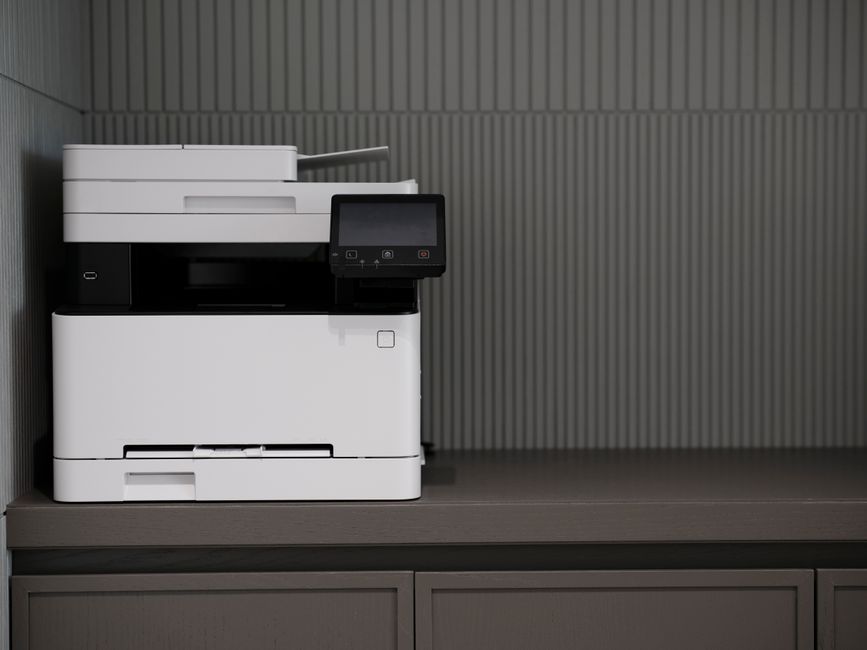
Ricoh’s Always Current Technology version 2.4 is a free firmware update for eligible Ricoh IM Series multifunctional printers that brings stronger document security, extended cloud folder compatibility, and practical usability improvements — at no additional cost to businesses already running Ricoh equipment.
If your Tallahassee or North Florida office uses Ricoh IM Series copier or MFP, here’s a breakdown of what changed, which models qualify, and what it means for your day-to-day document workflow.
What Is Ricoh Always Current Technology?
Ricoh Always Current Technology (ACT) is Ricoh’s program for delivering ongoing feature updates and security enhancements to compatible MFPs after the original purchase. The concept is simple: instead of replacing hardware every time security standards evolve or business workflows shift, eligible Ricoh devices receive meaningful updates over time.
Think of it like a software update on a smartphone — except for your office copier. Businesses that invest in Ricoh Always Current Technology-capable devices aren’t locked into the feature set they had on delivery day. Version 2.4 is the latest release in that program.
What’s New in Ricoh Always Current Technology Version 2.4?
Version 2.4 targets two areas: security hardening and operational workflow. Here’s what actually changed:
Security Improvements
- Stronger PDF scan-to-email passwords: Machine administrators can now require a strong password when users scan documents to email as PDF. This closes a real gap — weak passwords on scanned PDFs are a compliance exposure for medical practices, law firms, and any business handling confidential files.
- Advanced security certificate settings: IT administrators gain more granular control over device authentication certificates, useful for organizations with tighter network security policies.
- Cloud folder password limit extended to 128 bytes: Previously capped at 64 bytes, the scan-to-folder authentication password length now supports 128-byte credentials. Modern cloud storage services — Microsoft SharePoint, OneDrive, Google Drive — use longer, more complex passwords than traditional on-premise servers. If your team has been hitting authentication errors scanning directly to cloud folders, this update likely resolves it.
Usability Updates
- Easier Fax Smart UI navigation: Access to the 10-key pad, Quick Operation Keys, and Received Document/Mode settings is streamlined in the Fax Smart UI — less menu-digging for users who manage fax workflows daily.
- @Remote connection disruption alerts: When the @Remote monitoring connection drops, users now receive an on-device notification. @Remote is how we remotely monitor your machine status and automate meter reading requests. Knowing about a disruption immediately — rather than finding out during a service delay — helps keep your Ricoh copier up and running.
Which Ricoh Models Qualify for Ricoh Always Current Technology Version 2.4?
The update covers a broad range of Ricoh IM Series devices. Eligible models include:
- A4 Color MFPs: IM C320F, IM C401F, IM C401SRF, IM C300F, IM C400F, IM C400SRF
- A4 B&W MFPs: IM 370F, IM 460F, IM 460FTL, IM 550F, IM 600SRF
- A3 Color MFPs: IM C2510, IM C3010, IM C3510, IM C4510, IM C6010, IM C7010, IM C3510SD, IM C4510SD, IM C6010SD, IM C6510, IM C8010, IM C2000, IM C2500, IM C3000, IM C3500, IM C4500, IM C6000, IM C6500, IM C8000
- A3 B&W MFPs: IM 2510, IM 3510, IM 4510, IM 5510, IM 6010, IM 7010, IM 7000, IM 8000, IM 9000, IM 2500A, IM 3500A, IM 4000, IM 5000, IM 6000
TAA-compliant “G” variants are also covered. If you’re unsure whether your specific device qualifies, the full model list is available on the Ricoh USA website at ricoh-usa.com.
Does Ricoh Always Current Technology Cost Anything?
No. Ricoh delivers Always Current Technology updates to eligible devices at no additional license fee. The program exists specifically to protect your equipment investment without requiring new hardware purchases as standards evolve.
Who Is — and Is Not — a Good Fit for These Updates?
The Ricoh Always Current Technology update program makes the most sense for businesses that:
- Own Ricoh IM Series equipment on the supported model list
- Have ongoing maintenance or service agreements in place
- Scan regularly to email or cloud storage destinations and care about document security
- Use @Remote monitoring through their service provider
If your Ricoh hardware is older (pre-IM Series), it won’t receive Always Current Technology updates — that’s when a conversation about equipment refresh starts to make sense. And if you’re considering a Ricoh purchase, looking for ACT-capable models is worth prioritizing: it extends the useful life and security posture of the device over time.
What This Means for Tallahassee Businesses Running Ricoh Equipment
ABS supports Ricoh copiers and MFPs across Tallahassee, Thomasville, and throughout North Florida and South Georgia. If your office runs any of the IM Series models listed above, we can confirm whether your devices qualify for Ricoh Always Current Technology version 2.4, scope the deployment, and walk you through what the security settings changes mean for your team.
The stronger PDF scan-to-email password controls and the cloud folder authentication fix are particularly relevant for our clients in healthcare and legal — industries where scanned documents carry confidentiality and compliance weight. Call us at (850) 222-2308 or use our contact form to start the conversation.
Frequently Asked Questions
Q: What is Ricoh Always Current Technology?
A: Ricoh Always Current Technology is a program that delivers ongoing firmware and feature updates to eligible Ricoh IM Series MFPs after purchase. It’s designed to keep your equipment current with evolving security standards and workflow needs without requiring new hardware.
Q: Is Ricoh Always Current Technology version 2.4 free?
A: Yes. The update itself carries no additional license fee for eligible devices. Your dealer may charge professional services time for deployment, so ask for a scope estimate before scheduling the work.
Q: Does Ricoh Always Current Technology apply to all Ricoh copiers?
A: No — only specific Ricoh IM Series A3 and A4 models are supported. Older hardware won’t receive these updates. If your machines aren’t on the supported list, contact your Ricoh service provider to discuss options.