
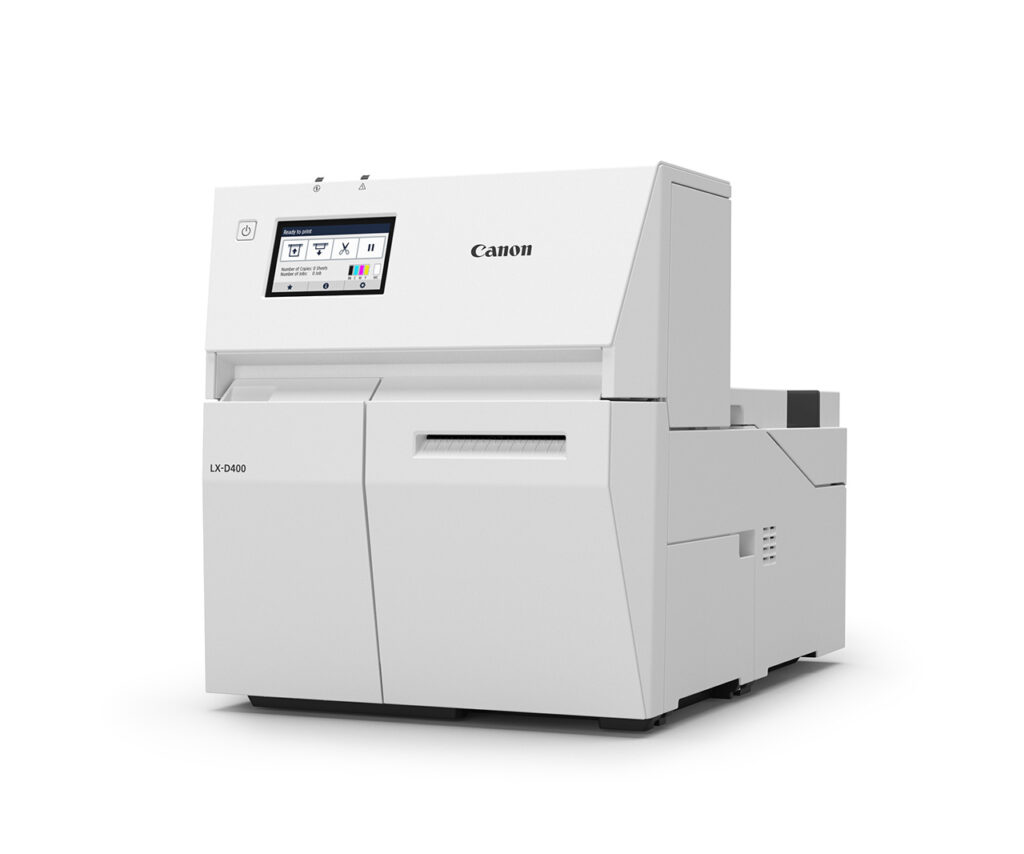
Looking for a Canon label printer that keeps up with a busy operation? Canon just put a spotlight on its LX-D400 dye-based inkjet label printer, and it’s worth a look for any Tallahassee business that prints labels on demand. This compact machine turns out vibrant, edge-to-edge labels without the wait or the mess of outsourcing.
Why the Canon Label Printer Lineup Just Got Stronger
The LX-D400 is a specialty printer built for one job and built to do it well: fast, sharp, color labels whenever you need them. Instead of ordering pre-printed label stock and waiting days for a delivery, you print exactly what you need, when you need it. For a warehouse, a medical office, or a shipping department, that kind of flexibility adds up fast.
What makes this Canon label printer stand out? High-speed performance so a big run doesn’t tie up your afternoon. Sharp, vibrant dye-based output that makes barcodes scan cleanly and logos pop. Edge-to-edge printing so your labels look finished, not cropped. And a built-in automatic cutter, so you’re not trimming by hand.
Key Features That Set the LX-D400 Apart
Here’s what the LX-D400 brings to the table:
- High-speed printing for on-demand runs without the bottleneck
- Sharp, vibrant color from a dye-based inkjet engine
- Edge-to-edge label printing for a clean, professional look
- Versatile media compatibility so you’re not locked into one label type
- Built-in automatic cutter to speed up finishing
- RFID label encoding on select media for inventory and asset tracking
That RFID capability is a real differentiator. If your business is moving toward RFID tracking for inventory or assets, having a label printer that can encode tags in-house saves a step and a supplier.
Who Gets the Most From an On-Demand Canon Label Printer?
Any operation that prints its own labels benefits, but a few stand out. Shipping and fulfillment teams that need address and barcode labels on the fly. Manufacturers and warehouses labeling product, bins, and shelving. Medical and lab settings that need clean, legible specimen and file labels. Retail and food businesses printing price, ingredient, or promotional labels. If you’re buying pre-printed rolls or running labels through a copier that wasn’t built for it, a dedicated Canon label printer usually pays for itself in convenience alone.
What This Means for Tallahassee Businesses
At Advanced Business Systems, we’ve been outfitting offices across Tallahassee, Thomasville, and North Florida & South Georgia with the right print technology since 1984. A specialty printer like the LX-D400 fits right alongside the Canon, Kyocera, Ricoh, and Toshiba equipment we already sell and service. The best part? You get one local partner for your copiers, your managed print, and your labeling — one number to call when you need supplies or service. Want to see whether an on-demand label printer makes sense for your workflow? Give us a shout at (850) 222-2308.
Frequently Asked Questions
Q: Is the Canon LX-D400 a good fit for a small office?
A: Yes. It’s compact and built for on-demand printing, so even a small shipping desk or lab can print labels in-house instead of ordering pre-printed stock.
Q: Can it print barcodes and RFID labels?
A: It produces sharp barcodes that scan cleanly, and it can encode RFID labels on select media — handy if you’re tracking inventory or assets.
Q: Does ABS service label printers like other equipment?
A: We handle sales, supplies, and support locally. Most customers set up a service and supply agreement from day one so labels and parts are covered — that matters more than warranty length.
Related Resources from ABS
Learn more about the Canon LX-D400 on Canon’s site, and see how on-demand labeling supports accurate barcode and labeling standards.