
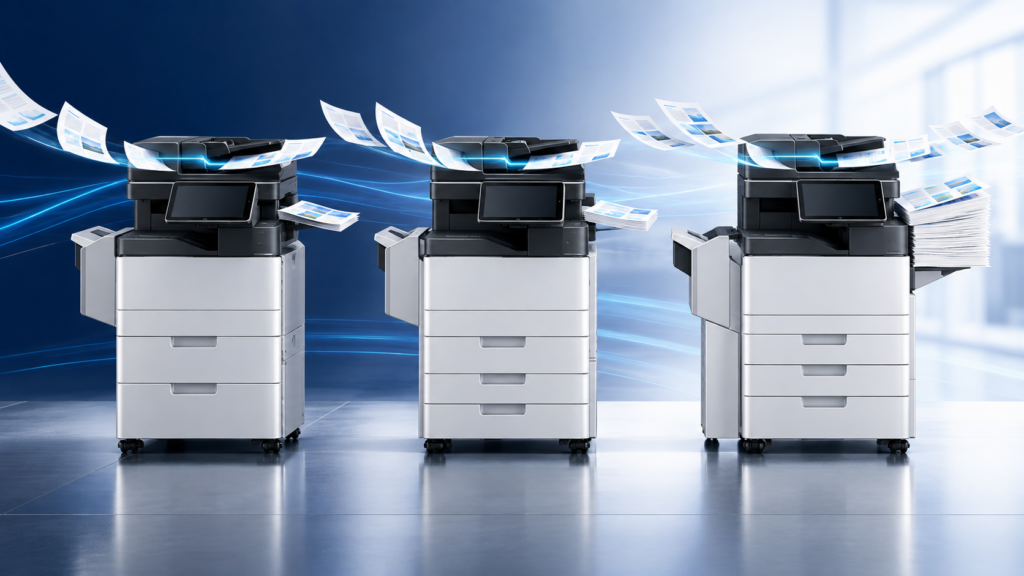
A useful Ricoh SD Series comparison starts with one important fact: the IM C3510SD, IM C4510SD, and IM C6010SD use the same 300-sheet straight-path scanner rated at 100 images per minute in simplex and 200 images per minute in duplex. The main difference is print output: 35, 45, or 60 pages per minute. Choose by measuring your print workload, peak demand, finishing needs, and total configuration instead of assuming that the fastest model also scans faster.
That distinction matters. This Ricoh SD Series comparison keeps scanning capability and print demand separate. An office may scan a large number of mixed originals but print at a moderate pace. Another office may scan less frequently but need rapid printing for time-sensitive packets. Both could benefit from the same straight-path feeder, but they may need different print engines.
What all three Ricoh SD Series models share
The IM C3510SD, IM C4510SD, and IM C6010SD are color A3 multifunction printers with a production-class single-pass document feeder. According to Ricoh’s current brochure, the shared feeder holds 300 sheets and scans both sides of a document in one pass at up to 200 images per minute.
The straight paper path is the unusual part of the design. Ricoh says it incorporates paper-transport technology from PFU, the Ricoh company known for dedicated document scanners. It is intended to handle mixed originals while dramatically reducing jams associated with curved feeder paths. Ricoh lists plain paper from 38 to 413 gsm, carbonless paper, and plastic cards up to 1.4 mm among the supported document types in the current specifications.
All three models also share these scanner specifications:
- Up to 600 dpi optical scan resolution
- Automatic image deskew, rotation, and size adjustment
- Scan destinations including email, folders, USB, URL, and FTP
- Single-page and multipage file formats including TIFF, JPEG, PDF, PDF/A, high-compression PDF, and encrypted PDF
- Searchable PDF when the required optional OCR unit or software is included.
Options and specifications can change. Confirm the proposed feeder, OCR capability, destinations, software, security settings, and accessories on the written configuration before ordering.
Ricoh SD Series comparison table
| Model | Rated print speed | First black and white page | First color page | Practical starting point |
|---|---|---|---|---|
| IM C3510SD | 35 ppm | 4.0 seconds | 6.6 seconds | Offices with moderate print demand that still need the full SD scanning platform |
| IM C4510SD | 45 ppm | 3.3 seconds | 5.2 seconds | Workgroups that regularly produce longer print jobs or experience overlapping demand |
| IM C6010SD | 60 ppm | 2.4 seconds | 3.8 seconds | Busier shared environments where print queues and time-to-output are material constraints |
The final column is a practical screening guide, not a manufacturer volume recommendation. Actual fit depends on monthly volume, peak periods, job length, media, finishing, uptime requirements, and how many people share the device.
Choose the print engine separately from the scanner
The most common mistake in a Ricoh SD Series comparison is treating print speed and scan speed as if they rise together. They do not. Ricoh lists the same 100-ipm simplex and 200-ipm duplex scanner rating for all three SD models.
If the straight-path feeder solves the problem that brought you to the SD Series, the IM C3510SD does not provide a lesser version of that basic scanning platform merely because it prints at 35 ppm. Likewise, choosing the IM C6010SD does not raise the published feeder speed above the other two models.
This lets a buyer make two separate decisions:
- Does the straight-path scanning workflow fit the originals and capture process?
- Which print engine and output configuration can handle the office’s real demand?
Separating those questions usually produces a better configuration than selecting a model from monthly print totals alone.
When the IM C3510SD may be enough
In this Ricoh SD Series comparison, the 35-ppm IM C3510SD is the logical starting point when the office wants the shared SD scanner but does not regularly create long print queues. It may suit a professional office that scans intake packets, receipts, cards, or carbonless forms throughout the day while printing in shorter bursts.
Do not choose it simply because it has the lowest print speed in the lineup. Review concurrent use. A single 200-page job may be manageable, but several departments sending long jobs at the same time can create a different experience. Look at the busiest hour, not only the monthly average.
When the IM C4510SD may be the balanced choice
In this Ricoh SD Series comparison, the 45-ppm IM C4510SD adds ten rated pages per minute while retaining the same scanner platform. That can matter when several users share the device, packets are longer, or deadlines create recurring print peaks.
It often deserves close consideration when 35 ppm appears tight but the office cannot document a need for 60 ppm. The right question is not whether 45 sounds faster. It is whether the reduced queue time during measured peak periods justifies the configuration difference.
When the IM C6010SD may be justified
In this Ricoh SD Series comparison, the 60-ppm IM C6010SD is the highest-output model in the three-device lineup. It is the strongest candidate when print production is genuinely busy, multiple teams share one central device, or longer color and black-and-white jobs frequently overlap.
The faster first-page figures can also matter in an environment with many short, repeated print jobs. Still, speed alone should not decide the purchase. Paper capacity, finishing, job mix, network performance, software, device placement, and service planning can have as much influence on the daily experience.
Measure six things before choosing a model
1. Peak print demand
Collect several weeks of device data if it is available. Record total pages, the busiest days, the busiest hours, color usage, duplex use, average job size, and unusually long jobs. Averages can hide the periods when people actually wait.
2. Real scanning work
List the originals employees handle: standard office paper, receipts, carbonless forms, thermal paper, cards, or other media. Bring representative samples to a demonstration. A brochure cannot show how your worn, curled, stapled, delicate, or inconsistent originals behave.
3. Output and finishing
Document paper sizes, stocks, tray assignments, envelopes, stapling, booklet work, and any high-capacity paper requirements. Ricoh offers multiple paper and finishing options, but availability and compatibility must be confirmed for the proposed configuration.
4. Scan destinations and OCR
Identify where files must go and what happens after capture. Confirm email, network folders, line-of-business systems, cloud workflows, naming rules, permissions, and retention. If searchable PDF matters, verify that the required OCR option or software is included rather than assuming it is standard.
5. Security and administration
Review authentication, address-book control, administrator roles, encryption, firmware management, logging, scan destinations, and any workflow software. A device feature only helps when it is available, licensed, configured, maintained, and used correctly.
6. Local implementation and service
Ask who will perform the site assessment, configure workflows, install the device, train users, supply consumables, and support the system. For Tallahassee and North Florida organizations, local implementation can be the difference between owning a capable machine and having a workflow employees can use consistently.
Test the scanner with your own originals
A live test should be part of any Ricoh SD Series comparison. Build a sample batch that reflects normal work rather than a perfect stack of new letter-size paper. Remove staples and follow the manufacturer’s loading requirements, but include the sizes and media that create delays today.
During the demonstration, check:
- Whether the feeder handles the batch consistently
- Whether size, orientation, and skew corrections produce usable images
- Whether two-sided originals are captured correctly
- Whether employees can select the right destination without workarounds
- Whether file naming, OCR, indexing, or routing meets the actual process
- How exceptions and rescans are identified and corrected
The objective is not to prove that the feeder can accept every object. It is to determine whether the configured system improves your real capture workflow.
When a dedicated production scanner may still be better
An SD Series MFP can consolidate printing, copying, and substantial departmental scanning into one footprint. It does not automatically replace every dedicated scanner.
Ricoh notes that a production scanner may remain the better choice for a centralized capture operation processing very large batches with OCR or intelligent character recognition, data validation, and specialized routing. Dedicated scanners may also be preferable when scanning is the primary job, the capture station must remain available while the MFP is busy, or the workflow depends on specialized software and exception handling.
Use this Ricoh SD Series comparison as a starting point, then test the proposed configuration against real work.
For more background on the shared feeder design, read ABS’s Ricoh SD Series straight-path scanner overview. For a current configuration, contact Advanced Business Systems to review your originals, print data, finishing needs, workflow destinations, and service requirements.
Frequently asked questions
Do the three Ricoh SD Series models scan at different speeds?
Ricoh currently rates the IM C3510SD, IM C4510SD, and IM C6010SD at the same scanner speed: up to 100 images per minute for simplex scanning and 200 images per minute for duplex scanning. Their primary rated speed difference is printing at 35, 45, or 60 pages per minute.
Does the IM C3510SD use a smaller document feeder?
No. Ricoh’s current brochure lists a 300-sheet single-pass document feeder for all three models. Confirm the final written configuration and current specifications before purchase.
Is the IM C6010SD always the best choice because it is fastest?
No. It is the fastest printer in the lineup, but the best fit depends on measured peak print demand, job length, finishing, paper capacity, workflow, placement, budget, and service requirements. The three models share the same published SD scanning platform.
Can an SD Series MFP replace a production scanner?
Sometimes. It may be a strong fit for high-volume departmental scanning and mixed originals. A dedicated scanner may still be better for a centralized capture center, very large batches, intensive validation, specialized capture software, or workflows that need an independent scan station.
What should we bring to a demonstration?
Bring representative originals, including the paper sizes and media that cause delays today. Also bring a list of required destinations, file formats, naming rules, OCR needs, finishing requirements, peak print data, and security questions.