
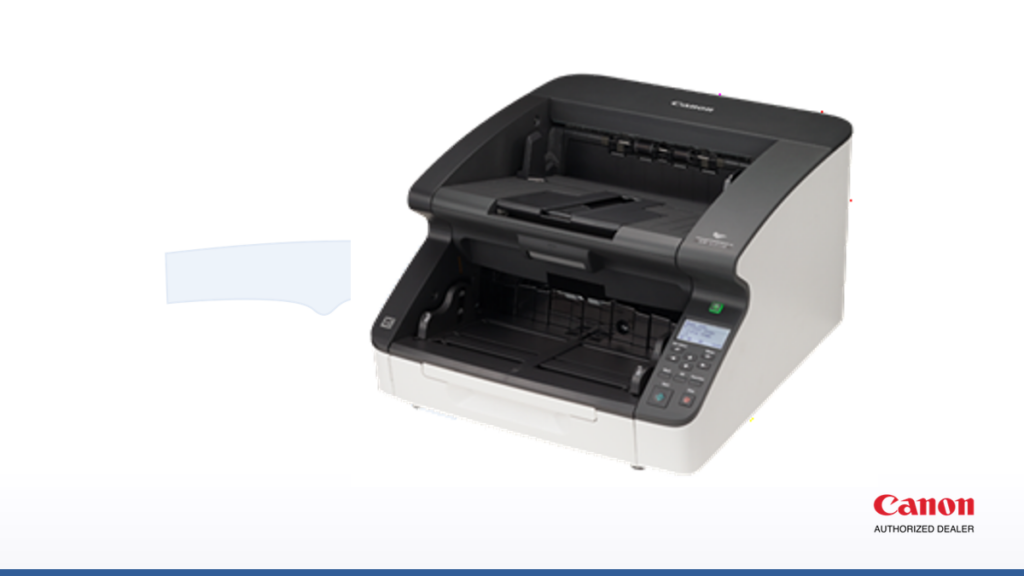
Quick answer: Florida state agencies and other eligible public entities can purchase or lease Canon document scanners through Alternate Contract Source 44100000-24-NASPO-ACS. The Florida scanner contract gives you a pre-negotiated purchasing route, but it does not choose the right scanner for you or replace your organization’s funding, approval, and documentation requirements. You still have to match the machine to the work.
If you are trying to make sense of the Florida scanner contract, the real questions are practical ones: Who can use it? What does a scanner actually cost? Which model fits the documents you handle? What software and service should you budget for? And where can the purchase still go wrong? This guide answers those questions the way we would explain them to a Florida purchasing team before we ever sent a quote.
What is the Florida scanner contract?
The contract is the Florida Department of Management Services’ Multi-Function Devices, Copiers, and Related Software and Services Alternate Contract Source, numbered 44100000-24-NASPO-ACS. It is built on NASPO ValuePoint master agreements and covers several equipment categories. Canon document scanners fall under Group F, which is the part of the Florida scanner contract most agencies care about when they are buying dedicated capture hardware.
Canon U.S.A.’s NASPO master agreement is 187646. As of August 2026, NASPO lists the current agreement expiration as July 31, 2027, with renewal options that could extend it through July 31, 2029. Dates, awarded models, discount schedules, and dealer listings all change over time, so confirm the current documents on the Florida DMS contract page and Canon’s NASPO ValuePoint page before you order.
One thing worth stating plainly: an Alternate Contract Source is a purchasing convenience, not a mandate. It exists so eligible buyers do not have to run a fresh competitive solicitation for equipment that has already been competitively awarded. Whether the Florida scanner contract is the right path for a specific purchase is still your decision to document.
Who can use the Florida scanner contract?
Florida state agencies can use the ACS, and DMS also recognizes other eligible users such as cities, counties, school districts, colleges, universities, and certain additional public entities. Your organization should still confirm its own eligibility and purchasing authority with its procurement office before relying on the Florida scanner contract for a given order.
Using the Florida scanner contract can let an eligible organization buy without conducting a new competitive solicitation for the same scope. That does not mean every internal rule disappears. Spending thresholds, grant restrictions, budget approval, governing-board policies, and other controls may still apply. The contract simplifies the sourcing step; it does not sign off on the purchase for you.
How much do Canon scanners cost on the Florida contract?
Here is the honest answer: there is no single Florida scanner contract price. In Canon’s August 2026 Group F price list, published MSRP ranges from roughly $215 for a portable P-208II to $18,535 for a production DR-X10CII. Contract discounts are then applied per the current price schedule, so the number on your quote should be lower than list.
- Portable and desktop scanners: published list prices run roughly $215 to $799.
- Network and departmental scanners: many models list from roughly $845 to $1,995.
- Production scanners: published list prices run from roughly $5,145 to $18,535.
Treat those as planning ranges, not a quote. The equipment line is only part of the cost. Ask any dealer for an itemized proposal that identifies the scanner, options, software, implementation, service coverage, contract discount, and total acquisition cost. A low sticker price is not a bargain if the scanner cannot keep up with your daily volume or connect to the system where the files need to land.
What drives the price up or down?
Two agencies can buy off the same Florida scanner contract and see very different totals, because a handful of choices move the number. The biggest drivers are scan speed and duty cycle, whether you add a flatbed unit for books and fragile originals, capture and OCR software, an imprinter or barcode module, extended service coverage, and installation plus training. None of those are hidden — they are simply separate decisions that belong on the quote so nobody is surprised later.
Which Canon document scanner fits your workload?
Canon’s dedicated document-scanner family is called imageFORMULA. The August 2026 Group F list includes the following models and variants, grouped by the kind of work they are built for:
- Portable: P-208II and P-215II — for a traveling employee, a satellite office, or an occasional desk that scans a few pages at a time.
- Desktop: DR-C225II, DR-C240, DR-C340, and DR-C350 — compact units for a front counter, an intake desk, or a single caseworker.
- Network and workgroup: DR-S250N, DR-S350NW, and ScanFront 400 — for a shared team that scans straight to email, folders, or a system without a dedicated PC.
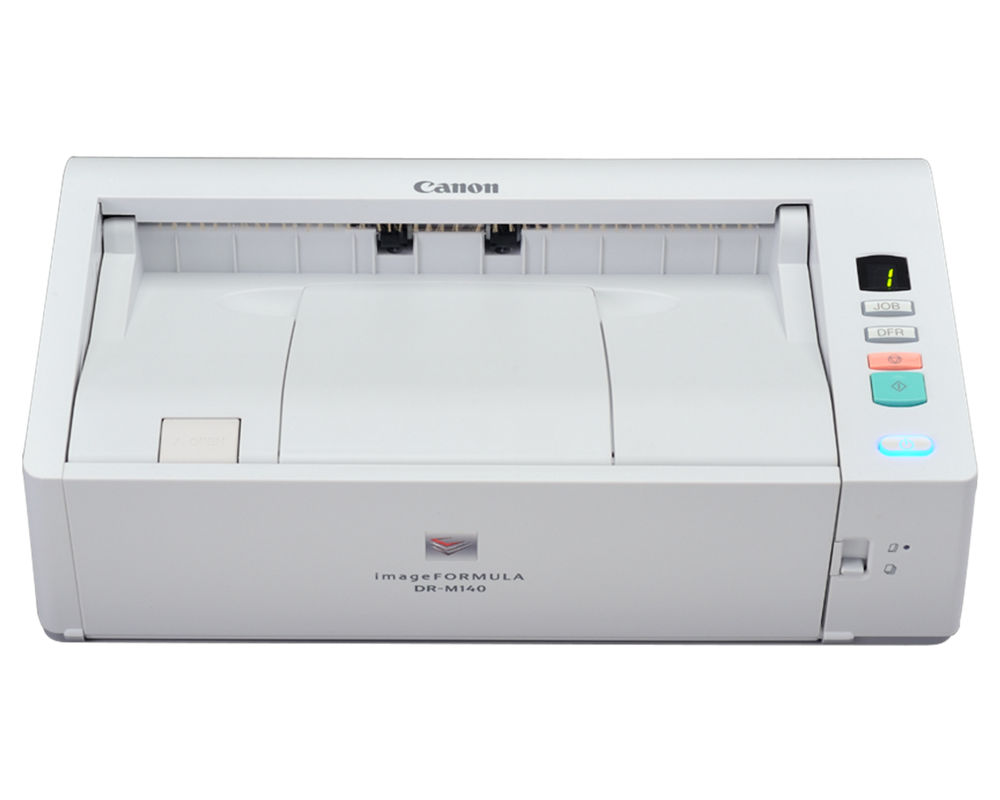
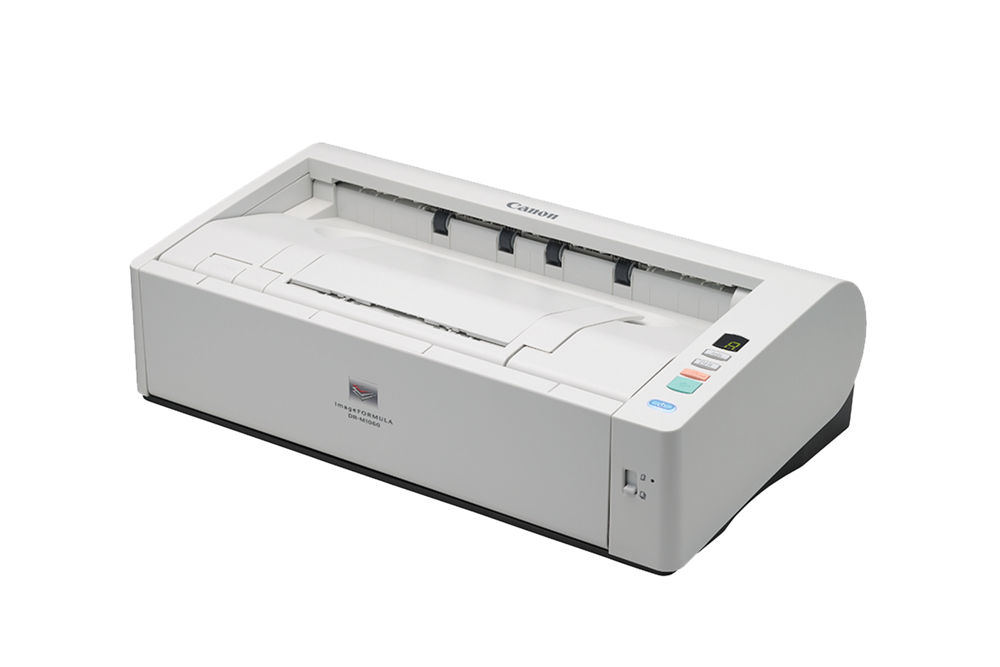
- Departmental: DR-M140II, DR-M160II, DR-M260, and DR-M1060II — for a records room, accounts payable, or a busy clerk’s office moving steady daily batches.
- Production: DR-G2090, DR-G2110, DR-G2140, and DR-X10CII — for large-scale digitization, a scanning bureau, or a central records operation.
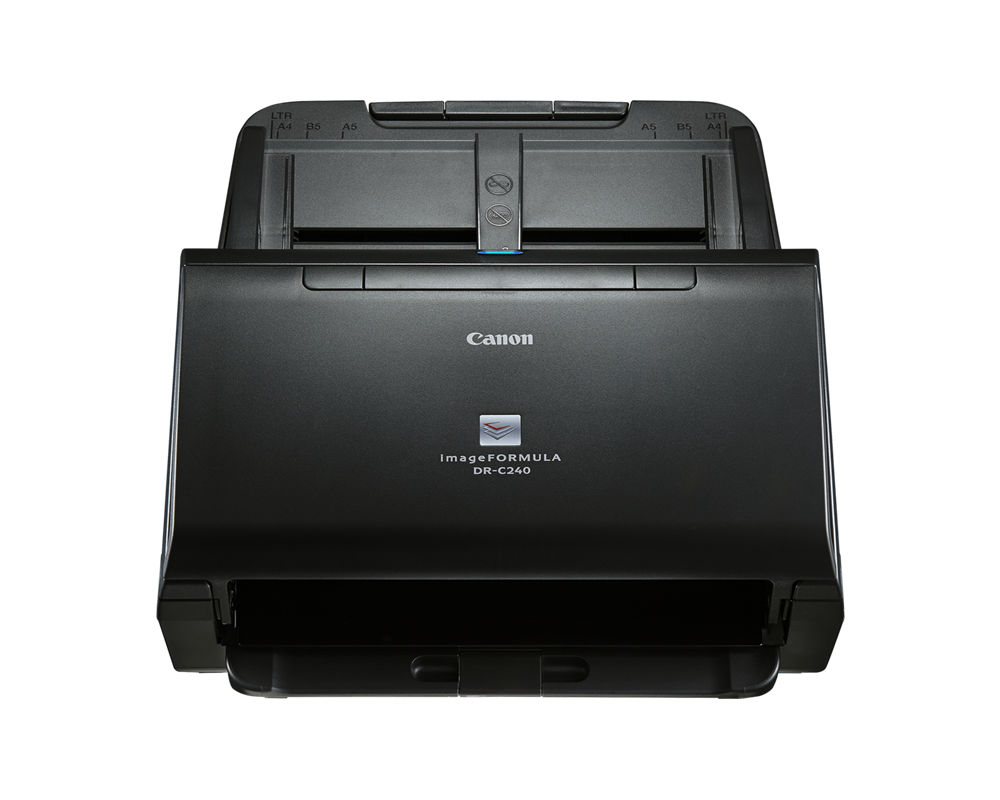
Do not choose a model on rated speed alone. Start with daily volume, peak-day batches, paper sizes, duplex needs, identification cards, fragile or stapled originals, available desk space, network requirements, and the system that will receive the scanned files. A scanner that looks fast on a spec sheet can still be the wrong tool if it chokes on the documents you actually feed it. Confirm current specifications on Canon’s scanner page.
How fast a scanner do you actually need?
Rated pages-per-minute assumes clean, single-size paper in good condition. Real intake is messier. A better way to size the machine is to estimate your heaviest realistic day, then leave headroom. Look at the automatic document feeder capacity, the recommended daily duty cycle, and how the scanner handles mixed batches, not just the headline speed. Under-buying leads to a bottleneck and a frustrated staff; over-buying spends money on a duty cycle you will never use.
What software and accessories should you budget for?
The scanner is the hardware; the workflow is the software. Canon imageFORMULA models ship with capture utilities, and many operations add higher-tier capture, OCR for searchable PDFs, and connectors to a document-management system. Common add-ons that belong on the quote include an optional flatbed unit for bound or delicate originals, an imprinter for endorsing scanned pages, and barcode or patch-code handling for automatic separation. Confirm which of these are on the Florida scanner contract and priced as separate line items before you assume they are included.
What file formats and destinations should you plan for?
Decide where the files need to go before you buy, because it shapes the model you choose. Common destinations are email, a network folder, SharePoint or a cloud drive, a records or content-management system, or a line-of-business application. If staff need to find documents later by keyword, you will want searchable PDF output with OCR. A network or workgroup model can send there directly without a tethered PC; a desktop model usually relies on the attached computer to route the file.
Planning for high-volume digitization
If the goal is a back-file conversion project or a central records operation, plan the project, not just the purchase. A production model on the Florida scanner contract can run tens of thousands of pages, but throughput in the real world depends on prep time, exception handling, and the people feeding the machine. Budget for staffing, an image-quality review step, and a place to store the finished files. The scanner is usually the easy part; the process around it is what determines whether the digitization actually finishes on schedule.

Dedicated scanner or multifunction copier: which is better?
A multifunction copier is often enough for occasional office scanning. It lets employees copy, print, and scan from one shared device, and if your team scans only a few routine files a day, adding another machine can create cost and clutter without solving a real problem. Be honest about how much scanning actually happens before you buy a second box.
A dedicated scanner earns its place when the work is records intake, accounts payable, medical charts, legal discovery, public-records requests, application processing, or anything with continuous batches and mixed originals. It keeps scanning off the copier, sits closer to the person doing the intake, and offers feeding and workflow options built specifically for capture. A Florida scanner contract purchase is worthwhile only when that dedicated capability solves a genuine workflow problem, not just because the contract makes buying easy.
What problems should you consider before buying?
The Florida scanner contract makes purchasing easier, but it does not remove implementation risk. The most common problems are predictable, and every one of them is avoidable with a little planning:
- Buying for rated speed instead of real documents. Torn pages, receipts, cards, mixed sizes, and poor originals behave differently than the clean test sheets used for spec-sheet numbers.
- Ignoring the destination workflow. A scanner still has to deliver files to email, folders, cloud storage, a document-management system, or a line-of-business application.
- Leaving software and accessories out of the quote. Flatbed units, network modules, imprinters, and capture software can materially change the total.
- Assuming the Florida scanner contract replaces procurement review. The ACS is a purchasing route, not permission to skip your organization’s approvals and documentation.
- Failing to confirm local support. Ask who installs the equipment, trains staff, handles warranty issues, and responds when production scanning stops mid-batch.
What about service, supplies, and support after the sale?
Scanners are consumable-driven machines. Feed rollers and separation pads wear and are replaced on a cycle tied to how many pages you run, so a high-volume operation should plan for exchange roller kits and a maintenance path from day one. Ask how service is handled: is there a warranty or service plan on the Florida scanner contract, who provides it, and how quickly can a technician respond when a departmental or production unit goes down during a deadline? For a busy records office, local response often matters more than a small difference in sticker price.
How do you purchase through the Florida scanner contract?
- Document the workload. Estimate daily and peak volumes, list document types, identify scan destinations, and note any security or accessibility requirements.
- Request an itemized contract quote. Use a currently authorized Canon reseller and ask it to identify the exact contract items, discounts, accessories, services, and assumptions.
- Verify the purchasing documents. Florida’s reference guide says the selected vendor’s NASPO master agreement number should appear on the purchase order. For Canon, that is 187646. Include Florida ACS 44100000-24-NASPO-ACS when your purchasing office requires it.
- Complete applicable approvals and forms. Use the required purchase order and, for a lease or rental, the applicable lease documents. Florida’s guide states that equipment leases with an anticipated annual cost over $35,000 require prior Department of Financial Services approval.
- Confirm implementation and support. Establish delivery, installation, staff training, service response, and the handoff into your document workflow before you sign.
The Florida DMS contract reference guide is the best starting point for Florida scanner contract purchasing instructions. Your procurement and legal teams remain the final authority for your organization, and the guide itself is the document to follow if anything here and the state’s current instructions disagree.
Should you buy or lease the scanner?
Buying is often the cleaner choice for a lower-cost scanner your organization expects to keep for years. Leasing can help when the equipment cost is higher, predictable payments matter, or the agency prefers a planned replacement cycle. Compare the full term, not just the monthly payment, and include financing, required documents, end-of-term conditions, accessories, and service. Both options are available on the Florida scanner contract, so let total cost over the life of the machine decide. On a modestly priced desktop unit, a multi-year lease can quietly cost more than simply purchasing it outright.
Who is—and is not—a good fit?
The Florida scanner contract is a strong fit for an eligible public organization that wants an established procurement path, needs Canon document-scanning equipment, and values a local dealer that can configure and support the solution.
It may not be the best fit if your organization is not an eligible user, needs a brand or a specialized capture platform outside the Florida scanner contract, already has enough scanning capacity, or has unusual requirements that call for a separate competitive process. Saying “this contract exists” is not the same as proving “this is the right purchase,” and a good dealer will tell you when the honest answer is to wait or to buy something smaller.
Working with a local authorized Canon dealer
Advanced Business Systems is listed in Canon’s NASPO dealer file and has served Florida organizations from Tallahassee since 1984. ABS can help document your requirements, compare imageFORMULA models, prepare a contract-aligned quote, and coordinate local installation and service. If it turns out the Florida scanner contract is not the best route for your situation, we will say so. Contact ABS or call (850) 222-2308 to talk through the workflow before you pick the scanner.
Frequently asked questions
Does the Florida scanner contract eliminate competitive bidding?
Yes, for purchases within the contract’s scope. An eligible user may use an ACS without conducting a new competitive solicitation, and Florida does not require state agencies to get quotes for equipment purchases under $35,000. Larger purchases and service contracts can carry extra steps, and every agency has its own internal purchasing rules, so confirm the process with your purchasing office.
Can local governments and school districts use it?
Cities, counties, school districts, colleges, universities, and other qualifying public entities may be eligible users of the Florida scanner contract. Confirm your eligibility and purchasing authority with your procurement office before ordering.
Are contract prices the same as Canon’s list prices?
No. The published list shows MSRP, and the Florida scanner contract schedule provides the applicable discounts. Your final quote also depends on configuration, accessories, software, implementation, service, and whether the equipment is purchased or leased.
Can an agency buy instead of lease?
Yes. The Florida scanner contract supports outright purchases as well as lease or rental structures. Compare total cost over the full term and follow the required purchasing and lease-document process for your organization.
Which imageFORMULA scanner is right for a records or AP department?
Steady daily batches usually point to a departmental model such as the DR-M140II, DR-M160II, DR-M260, or DR-M1060II, while very high volume points to a production DR-G2000-series or DR-X10CII. The right pick depends on your heaviest realistic day and your document mix, so size it to the workload rather than the label.
Related Resources from ABS
- Copiers for Florida state agencies
- Copiers and multifunction printers
- NASPO copier contract guide for Florida agencies
- ABS Learning Center
- Request a Florida public-sector equipment review
Sources and verification
Florida DMS contract page; Florida DMS contract definitions; Florida DMS reference guide; NASPO ValuePoint—Canon U.S.A.. Contract terms, dealer status, models, and pricing should be rechecked before every order.