
Quick answer: Modernizing campus operations doesn’t have to start with a new ERP or student system. At many colleges and universities, practical savings sit in everyday print, scan and paper workflows: unmanaged devices, forms printed only to be retyped, and records kept in boxes. Measure what you have, then fix one high-impact process at a time. Technology won’t fix unclear ownership or approval steps nobody has questioned, so start with the process.
Advanced Business Systems (ABS) has served the Tallahassee market since 1984. This guide to modernizing campus operations is for administrators, IT staff and purchasing teams evaluating document workflows. For equipment selection, see our copiers for schools buying guide.

Where Do Print, Scan and Paper Workflows Waste Money?
Too Many Devices, and Nobody Owns the Fleet
On many campuses, each department bought its own printers over time. The result is a mix of brands, ages and supply types, with toner ordered on purchasing cards by a dozen different people. No one can say what the institution actually spends on printing, because the cost is spread across departmental budgets. Desktop printers often cost more per page than a shared device down the hall, and they’re the hardest to see.
Print, Sign, Scan, Retype
Admissions, the registrar, financial aid, human resources and procurement all handle forms. Too often a form is downloaded, printed, signed by hand, scanned, emailed and then retyped into the student system or ERP. Each step adds delay and a chance for error, and the paper copy usually ends up in a file drawer anyway. Compare these processes as pilot candidates, measuring staff time and error correction before and after.
Boxes of Records Nobody Can Find
Student, personnel and financial records stored in boxes take up space and staff time every time someone needs one. Florida public universities and colleges follow the Florida Department of State’s general records schedules, including GS5 for public universities and colleges, which set minimum retention periods. Digitizing doesn’t change those minimums, but it can make records far easier to find, protect and dispose of on schedule. Your records management liaison should be part of any scanning project.
Default Settings and Abandoned Jobs
Color by default, single-sided by default and print jobs that are sent but never picked up quietly add pages. Print management software with release at the device stops abandoned jobs from printing at all, and sensible defaults trim waste without anyone having to change habits.
Scanning That Goes Nowhere Useful
Staff who scan to their own email, then save files on a desktop, create two problems: documents that nobody else can find, and copies of student information in places nobody is managing. Scanning to a managed destination can reduce those risks when access permissions, indexing and retention rules are configured and tested.
What Does Modernizing Campus Operations Look Like in Practice?
Break the work into manageable changes. Project length depends on integration, approvals, migration and training:
- Fleet visibility. Managed print can bring device monitoring and supplies into a coordinated plan; confirm the included devices, supplies, service and reporting in the written agreement.
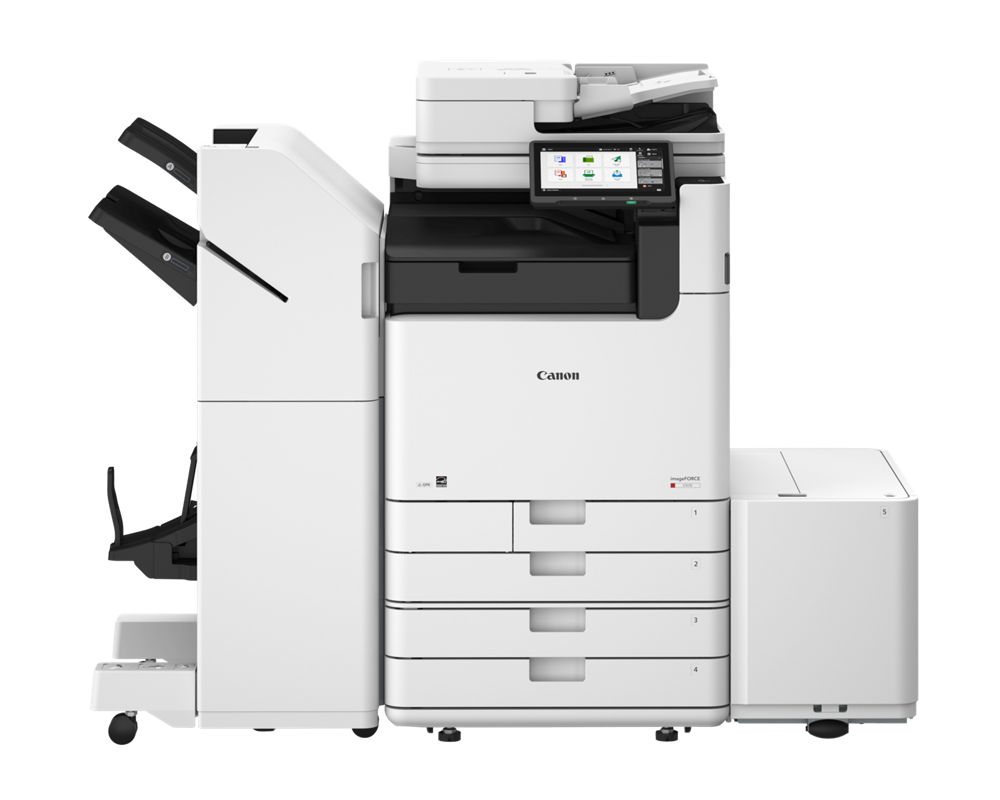
- Right-sizing. Fewer, better-placed multifunction devices: heavier A3 models where volume is high, smaller A4 models in offices, and desktop printers only where they’re truly justified.
- Print management. Software such as PaperCut or Canon’s uniFLOW Online adds secure release, departmental reporting and quotas. Our print management software guide explains the basics.
- Scan to workflow. Scanning at the service counter straight into the right shared folder or system, instead of to personal email.
- Electronic forms. Internal approvals that move by e-form and e-signature rather than by campus mail.
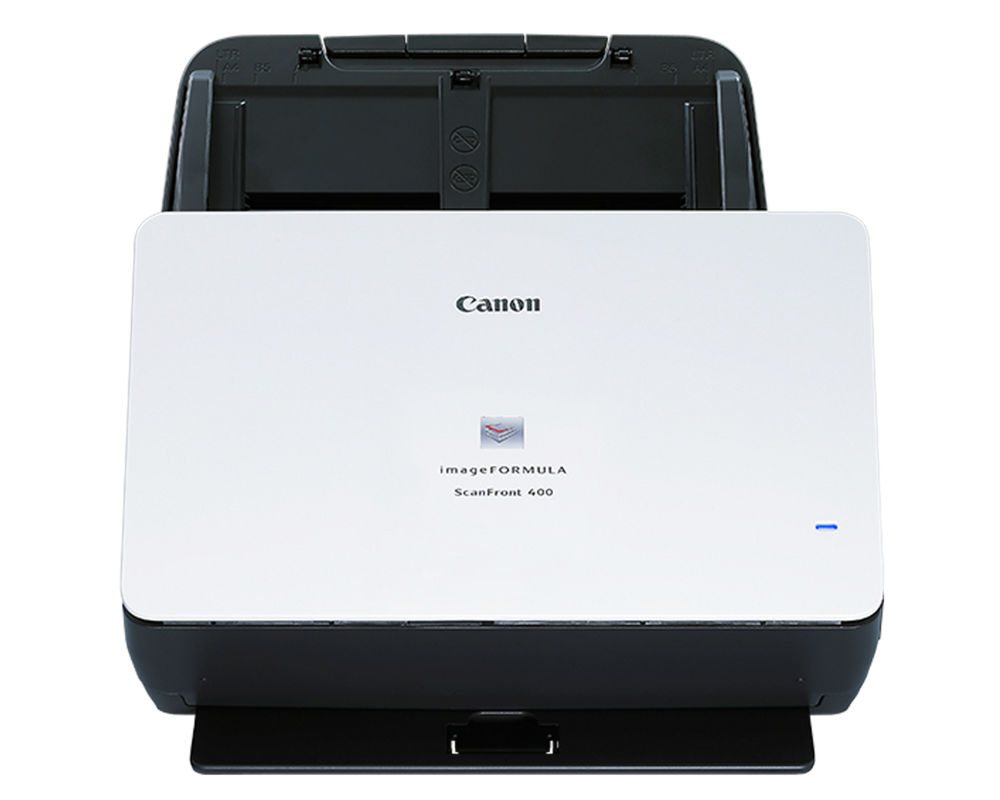
For service counters such as admissions, the registrar or financial aid, a networked scanner can capture documents while the student is still standing there. Canon’s imageFORMULA ScanFront 400, for example, is a networked scanner with a 10.1-inch touch panel that Canon rates at up to 45 pages per minute. Whether a counter scanner, a shared MFP or a desktop scanner fits best depends on volume and on where the documents need to go.
Which Processes Should a Campus Modernize First?
Pick processes with high volume, visible pain and a willing owner. Good first candidates include document intake at admissions and the registrar, financial aid verification paperwork, onboarding for student workers and adjuncts, vendor invoices in procurement, and records retrieval in any office that still pulls boxes. A department print fleet whose leases are about to end is another natural starting point.
A simple way to rank options when modernizing campus operations: estimate the volume, rate how much it frustrates staff or students, note any privacy risk, and weigh that against the effort to change it. The winner is rarely the biggest process on campus. It’s usually a medium-sized one with a department head who is tired of the old way and will champion the new one.
How Much Does Modernizing Campus Operations Cost?
There’s no single price, because a project can be as small as one department’s print fleet or as large as a campus-wide records program. The cost drivers are predictable, though:
- Device refresh, purchased or leased, usually timed to existing lease end dates.
- Print management software licensing and setup, including sign-in with existing campus ID cards where the readers and systems support it.
- Managed print service and supplies, often billed per page or by an agreed structure.
- Workflow or document management software for the processes you digitize.
- Scanning projects for back files, done by staff or by a service.
- Staff time for training and for IT integration with campus sign-in and storage.
Start with a baseline. Print spending is often hidden in purchasing-card supply orders and aging desktop printers, so gather those numbers before judging any proposal. Ask for a written, itemized proposal that separates equipment, service, software and one-time setup, and shows what’s included and what isn’t. If you already have agreements in place, our free copier invoice review can help you understand what you’re paying now. Our article on card authentication for copiers explains the badge-release option.
Can Florida Public Institutions Buy Through the NASPO Contract?
Florida public institutions should ask their purchasing office whether the current Florida DMS alternate contract source for Multi-Function Devices, Copiers, and Related Software and Services is an available purchasing route. Confirm the current agreement, eligibility, covered configuration, ordering documents and dealer participation before requesting a purchase order. A manufacturer’s product catalog alone does not establish contract coverage.
ABS is a Tallahassee-based authorized Canon dealer. Ask ABS and your purchasing office to identify the applicable manufacturer agreement and written scope for the proposed equipment and services. Georgia institutions must use their own applicable procurement route. Our state agencies page provides a starting point for a purchasing conversation.
How Do You Protect Student Records While You Modernize?
The federal Family Educational Rights and Privacy Act (FERPA) governs access to and disclosure of education records at covered institutions. New scanning and printing workflows shouldn’t create new exposure. Send scans to managed locations rather than personal inboxes, use secure release for printed records, limit who can reach each shared folder, and plan for the data stored inside devices.
Multifunction devices can retain job data internally, so arrange manufacturer-supported sanitization before any device leaves campus, and document who did the work. Our article on what happens to a copier’s hard drive when the lease ends covers the options. Your privacy office and IT security team should review any new workflow; buying a particular device doesn’t establish compliance.
What Mistakes Should You Avoid?
- Buying software before mapping the process. A new tool on top of a confusing approval chain just makes the confusion faster.
- Skipping the IT and privacy review. Scan destinations, card readers and cloud print services all touch campus sign-in and student data.
- Ending leases early without checking the cost. Buyouts and return terms can erase the savings; align changes to end dates where you can.
- Forgetting training. Staff and student workers need a short walkthrough, a one-page guide and someone to call.
- Running a pilot without a baseline. If you didn’t measure before, you can’t prove the improvement after.
Use these checks to plan modernizing campus operations as a series of measured changes, with realistic staffing, approval and training costs.
7 Practical First Steps for Modernizing Campus Operations
- Inventory devices, leases and volumes across the departments you’re responsible for.
- Find where print spending hides: purchasing-card supply orders, desktop printers and out-of-contract devices.
- Ask a few departments to describe their most frustrating paper process.
- Pick one high-impact process with an owner who wants to change it.
- Pilot it in one office or building for a term.
- Measure the results: pages, devices, turnaround time and staff hours.
- Expand at lease end dates, using what the pilot taught you.
The order matters. The first three steps establish the baseline needed to judge the cost and likely value of a pilot. The pilot then gives you real numbers from your own campus, which is far more persuasive to a budget committee than a vendor’s estimate.
ABS works with universities and public sector organizations across North Florida and South Georgia from our office at 1236 N. Monroe St. in Tallahassee. If you’re responsible for modernizing campus operations in a department or across an institution, request a free on-site assessment. We’ll look at your devices, volumes and paper workflows and give you a straight answer about where to start. Or call (850) 222-2308.
Request your free on-site assessment
It takes about a minute. Only your name, email and phone are required.
Free, with no obligation. We use your information to arrange your visit, and we never sell, rent or share it with third parties for marketing. Someone from ABS will contact you to confirm the details.
Frequently Asked Questions
Where should a college start modernizing campus operations?
Start with an inventory of devices, leases and print volumes, then pick one high-volume paper process with an owner who wants to change it. Pilot the fix in one office before expanding.
Can Florida public colleges and universities buy through NASPO?
Possibly. Ask your purchasing office to confirm the current Florida DMS agreement, eligibility, covered configuration, ordering instructions and dealer participation. Do not assume a particular model or service is covered.
Do we have to replace every device at once?
No. Most campuses modernize in stages, using each lease end date as a natural decision point. Print management and scanning workflows can often be added to existing devices first.
How is this different from your copiers for schools guide?
Our copiers for schools guide covers buying equipment: cost, sizing, leasing and service. This article covers operations: where print, scan and paper workflows waste money and how to fix them step by step.
Related Resources from ABS
- Copiers for Schools: 9 Smart Questions to Ask Before You Buy
- Copiers for Florida State Agencies (NASPO)
- Florida NASPO Copier Contract: How DMS, NASPO, and ACS Fit Together
- Buying Document Scanners on the Florida NASPO Contract
- Managed Print Services
- Print Management Software: How PaperCut Works
Sources and verification: Contract details come from the Florida Department of Management Services page for Multi-Function Devices, Copiers, and Related Software and Services. Records schedules are published on the Florida Department of State’s General Records Schedules page. FERPA information comes from the U.S. Department of Education’s Protecting Student Privacy site. Product details come from Canon U.S.A.’s imageFORMULA ScanFront 400 and imageFORCE C5100 Series pages. No third-party survey statistic or projected saving is used here.